A good routine.
Without the complicated setup.
Connect your business, save the brand basics and work on one useful thing at a time.
Welcome back
Your business,
ready to be found.
A useful post. A thoughtful reply.
Google reviews
Such a lovely spot for a coffee break. The team made us feel right at home.
Thank you, Meera! We’re glad you enjoyed your coffee break at The Daily Grind. We look forward to welcoming you again.
Your next Google post
A good coffee.Freshly brewed. Always welcome.
Take a coffee break
A good cup and a warm welcome await you at The Daily Grind. Drop by for a freshly brewed coffee.
CALL TO ACTIONLearn more DESTINATION Google Business ProfileContent studio
A good coffee.Freshly brewed. Always welcome.
A little planning goes a long way.
Made for your feed.
A good coffee.Freshly brewed. Always welcome.
Your coffee break, sorted.
Freshly brewed coffee, a warm welcome and a moment to slow down. See you at The Daily Grind.
#CoffeeBreak #LocalCafeFrom setup to your next update.
- 01
Connect your business
Sign in with Google and connect your Instagram professional account. Choose the business you want to manage.
- 02
Save your brand once
Add your logo, colours and business details. Your next design already has a head start.
- 03
Create, with a little help
Choose artwork or a business photo. Ask AI for a caption or reply, then edit it to sound like you.
- 04
Approve and plan ahead
Check the image, copy and destination. Publish supported content or choose a time to schedule it.
Have an idea ready
before the occasion arrives.
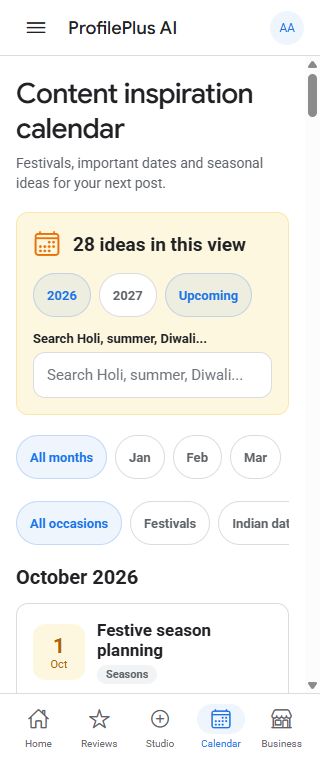
Explore Indian festivals, important business dates and summer or winter content ideas. Filter the occasion calendar, choose what suits your business and create content from there.
- 01
Find a relevant occasion
Browse the month, search an event or filter by category.
- 02
Create something useful
Use the moment as inspiration and keep the message relevant to your customers.
- 03
Approve the timing
A calendar idea becomes scheduled content only when you create and approve a post.
Regional observances and lunar dates can vary. Confirm the dates that matter for your business.
Good questions.
Straight answers.
A little clarity before you get started.
Will it publish anything without me reviewing it?
You choose what to approve. AI creates editable drafts; it does not decide what to publish. Content you explicitly schedule can publish at the time you select.
Do I need to know how to design?
Start with available artwork or your own photo, then use your saved brand kit and a simple frame. Preview the result and edit the copy before choosing a destination.
Does regular posting guarantee better Google rankings?
No. Google says local results depend mainly on relevance, distance and prominence. Complete business information, helpful replies and relevant updates are useful habits. Their effect varies by business.
Can I connect my Instagram account?
Direct publishing uses Instagram Business or Creator accounts and requires authorization. You can also prepare an image and caption for manual posting.
How do I start?
Open the app to explore available access, or contact us about the pilot. Connect only the business accounts you are authorized to manage.
Start small. Keep it useful.
Your first helpful reply or branded post is a good place to begin.